Most businesses looking for cloud backup in New York City or New Jersey already have some kind of backup. A drive plugged into the server. A sync folder. A service somebody set up years ago. The real question is whether any of it would bring the business back after ransomware, a failed server, or a flooded office.
This guide explains what a business backup service should cover, what "managed" backup actually means, where a self-managed tool is enough, and which questions to ask a provider before you sign. It is written for offices in NYC, Westchester, Rockland, and New Jersey, but the checklist works anywhere.
If you are choosing a place for daily file access and sharing, start with our secure cloud storage guide. If data is already missing or systems are down, go straight to the business data loss response guide.
Key takeaways
- Cloud storage is where work happens. Cloud backup is how you get it back. You need both.
- A business backup has to cover servers, Microsoft 365 or Google Workspace, and the laptops people actually work on.
- Managed backup means someone watches the jobs every day, tests restores, and does the recovery when it counts.
- Look for encryption, an offsite copy that ransomware cannot change, and written proof of restore tests.
- A self-managed service such as IDrive is a sensible choice for a home, a very small office, or a second copy alongside a managed plan.
Cloud storage, cloud backup, and disaster recovery are three different things
- Cloud storage gives your team a place to store, sync, and share files. Microsoft 365, Google Workspace, Dropbox, and Box are storage.
- Cloud backup keeps separate, recoverable copies of your data so you can restore a file, a mailbox, or a whole server after it is deleted, corrupted, or encrypted.
- Disaster recovery is the plan for getting critical systems and people working again after a larger outage. Our disaster recovery planning guide covers that side.
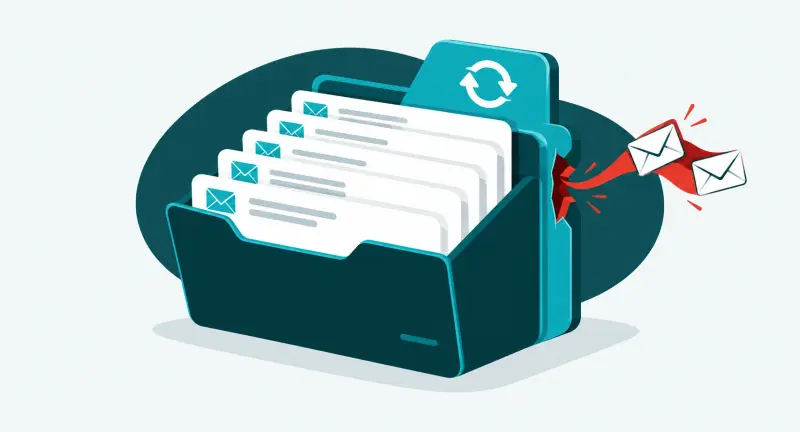
Sync is the part that catches people out. If ransomware encrypts a synced folder, or an employee deletes the wrong directory, the change syncs everywhere. A backup is a copy that sits outside that loop.
What a business backup needs to cover

Before comparing services, list what you would need back on your worst day. For most offices we work with, that list has four parts:
- Servers. File servers, accounting and practice-management systems, databases, and anything else running in the server closet or a data center. Server backup should capture the whole machine, not only the files, so it can be rebuilt on new hardware or started in the cloud.
- Microsoft 365 and Google Workspace. Email, OneDrive, SharePoint, Teams, and Drive. These platforms keep deleted items for a limited time. That helps with small mistakes, but it does not replace an independent backup. Whichever backup service you use, review the access it holds in your tenant. The ConnectWise SkyKick breach showed how a backup vendor's connection can become a way in.
- Computers. Laptops and desktops hold more original work than most owners expect, especially with remote and hybrid staff.
- Cloud applications. Find out what each vendor backs up, for how long, and whether you can export your own data.
Managed backup or self-managed backup?
The software matters less than who is responsible for it. That is the real difference between the two models.
| Managed backup | Self-managed backup | |
| Who checks that last night's backup ran | Your IT provider, every day | You, when you remember |
| Who tests restores | The provider, on a schedule, with results you can see | You |
| Who does the recovery | The provider, including on-site work if hardware failed | You, following the vendor's instructions |
| Best fit | Offices with servers, regulated data, or no time to babysit backups | Home users, very small offices without a server, or a second copy |
Where a self-managed service like IDrive fits
Not every business needs a managed plan. If you are protecting a home computer, a one- or two-person office with no server, or a handful of laptops, a self-managed service is a reasonable and affordable place to start. We often point people to IDrive for this. One account can cover several computers and devices, and it keeps older versions of files so you can go back to a copy from before a mistake.
IDrive also works well as a secondary copy. Even with a managed plan in place, keeping a separate, independent backup of your most important folders with a different provider means one vendor's problem never becomes your only problem.
The trade-off is ownership. Nobody will call you when a self-managed backup stops running. Put a monthly reminder on your calendar to check the last backup date and restore one file. For a step-by-step setup, see our personal cloud backup guide. Disclosure: The IDrive links in this article are referral links, and Spot On Tech may receive a commission at no additional cost to you.
What a managed backup service should include
Use this as a checklist when you compare cloud backup services for a business in New York or New Jersey.
- Encrypted backup, in transit and at rest. Data should be encrypted before it leaves your network and stay encrypted where it is stored. Ask who holds the encryption keys.
- An offsite copy attackers cannot change. Ransomware goes after backups first. At least one copy should be immutable, meaning it cannot be altered or deleted for a set period, even by an administrator account.
- Local and cloud copies together. A local copy restores a large server quickly. An offsite copy survives fire, flood, and theft. A common rule is three copies of your data, on two kinds of storage, with one offsite.
- Daily monitoring. A person or system should check every job and fix failures the same day, not discover them during an emergency.
- Restore testing with proof. A backup only counts if it restores. Ask for regular full test restores, where the recovered system is actually started and its files are opened, and a record of the results.
- Agreed recovery targets. Decide ahead of time how much data you can afford to lose and how long each system can be down. Those two answers drive the design.
- Retention that fits your rules. Healthcare, financial, and legal offices often have to keep records for years. Many cyber insurance applications also ask how backups are stored and tested.
- Reporting you can read. You should be able to see what is protected, what is not, and when it was last tested.
Why a local team matters for backup in NYC and New Jersey

Backups run in the cloud. Recovery often does not. When a server dies, someone has to replace hardware, reconnect the network, and get people working again. When a storm floods an office or knocks out power for days, someone has to help staff work from somewhere else. This region has seen both more than once.
Spot On Tech works from offices in Chestnut Ridge and Croton-on-Hudson, New York, and Woodland Park, New Jersey. That puts our team close to clients across New York City, Westchester, Rockland, and New Jersey when a recovery needs hands on site.
Questions to ask a backup provider
- Exactly which servers, mailboxes, computers, and applications are covered, and which are not?
- Where is the data stored, and is it encrypted before it leaves our office?
- Is at least one copy immutable?
- Who checks the backups each day, and what happens when one fails?
- How often do you test a restore, and can we see the results?
- If our main server failed this morning, what would happen next and who would do the work?
- Can you recover a whole server, not only individual files?
- How long are backups kept, and can that match our compliance requirements?
- If we leave, how do we get our data and our backup history?
Best-fit backup by type of business
| Situation | What to prioritize | Watch out for |
| Home user or solo professional | Automatic self-managed cloud backup plus an external drive | Never checking that it still runs |
| Small office, no server | Microsoft 365 or Google Workspace backup and laptop backup | Assuming the platform's recycle bin is a backup |
| Office with an on-site server | Managed server backup with a local copy and an immutable cloud copy | File-only backups that cannot rebuild the server |
| Healthcare, financial, or legal office | Encryption, long retention, documented restore tests | Backups nobody can prove were tested |
| Multiple locations | One backup policy and one report across every site | Each office doing its own thing |
When the backups are part of the incident
A healthcare facility with more than 120 users called us after ransomware had reached every one of its servers, and the backup environment too. There was no clean restore to fall back on. We found backup data that could still be trusted, validated it, and brought systems back in the order the staff needed them.
That is why this guide keeps returning to immutable copies and restore testing. Read the full healthcare ransomware recovery case study.
How Spot On Tech handles backup

Our cloud storage and data backup service is part of how we run IT for clients, not a separate product:
- Inventory. We map where your important files, systems, and sensitive data live.
- Design. We agree with you on what must come back and how fast, then choose a cloud, local, or hybrid setup to match.
- Setup. We configure backup jobs, encryption, access, and retention.
- Monitoring. We watch the jobs and fix failures before they turn into emergencies.
- Restore testing. We run full restores regularly. That means starting the recovered systems to confirm they actually run, and opening files to confirm they are intact. Then we show you the results.
- Reporting. You get a clear view of what is protected and what is not.
Because the same team runs your network, security, and help desk through our Single Point of Tech model, a recovery does not turn into an argument between vendors.
Frequently asked questions
What is the difference between cloud backup and cloud storage?
Cloud storage holds the files your team works on and syncs changes across devices. Cloud backup keeps separate copies you can restore after deletion, ransomware, or hardware failure. Storage alone will sync a mistake everywhere.
Do Microsoft 365 and Google Workspace need a separate backup?
Yes. Both keep deleted items for a limited time, but that is not the same as an independent backup you control. A separate service keeps its own copies of email, files, and shared drives.
Is cloud backup encrypted?
A business-grade service should encrypt data before it leaves your network and keep it encrypted in storage. Ask every provider who controls the encryption keys and who can access your data.
How often should backups be tested?
Regularly, and with full restores, not just a check that the backup job finished. A real test starts the recovered system and opens files from it. That is how we test backups for our clients. Test again after any major change, and keep a record of each test.
Can a small business use IDrive instead of a managed backup service?
For a very small office without a server, a self-managed service such as IDrive can be enough, as long as someone checks it regularly and tests restores. Once you have a server, regulated data, or no one with time to watch it, managed backup is the safer choice.
How long does it take to recover a server?
It depends on how much data there is, whether a local copy exists, and whether replacement hardware is needed. That is why recovery targets should be agreed and tested before anything goes wrong.
Not sure your backups would hold up?
If you cannot say when your backups were last tested, that is the place to start. Our free IT assessment shows what is protected, what is not, and what a recovery would look like today. Or talk to Spot On Tech about managed cloud and server backup for your office.