What we handle
- Managed IT services and help desk support
- Device and account support
- Outsourced IT support and vendor coordination
- System updates and issue tracking
Keep work moving
Managed IT services, help desk support, and outsourced IT coordination for growing businesses.

How we help
Your staff shouldn't lose half a morning waiting for IT or chasing a vendor. We run your help desk, look after your computers and accounts, and deal with the other companies your business depends on.
What we handle
What you get
More detail
What most businesses want from an IT company is simple. Answer when we call, fix it, and make sure it doesn't happen again. That's the job. Your staff get one number and one email for every IT problem, and we keep at the recurring ones until they stop recurring.
Our managed IT support services cover the daily work that keeps a business productive: user support, device issues, account access, Microsoft 365 and cloud questions, system updates, vendor coordination, network support, and planning for future needs. We also connect support with cybersecurity, backups, phones, and reporting so the whole technology environment is easier to manage.
Staff call, email, or open a ticket. We handle accounts, computers, software, printers, Microsoft 365, and connection problems.
If three people report the same problem in a month, that's a pattern. We track tickets so we can find the cause and fix it once.
When the problem sits with your internet provider, phone carrier, or a software vendor, we call them. Your team stays out of it.
You get a dedicated support contact with an experienced team behind them. When a computer, account, printer, Microsoft 365, or the network gets in someone's way, they know exactly who to call.
We provide managed IT services for New York and New Jersey businesses that don't want to hire a full IT department. We fix the day-to-day problems, and we watch the ticket history for patterns. The same issue coming back every month usually means something underneath needs replacing or reconfiguring.
Fixing things when they break is the visible part. The rest is maintenance, updates, access reviews, security checks, documentation, chasing vendors, and planning upgrades before the old equipment dies on a Monday morning.
That background work is where the savings are. Every repeat issue we eliminate and every project that doesn't stall is time your staff get back.
An account change is a security decision. A network problem shows up as bad phone calls and blank camera feeds. A backup gap only shows up when you need to recover. These things are connected whether or not the companies running them talk to each other.
With the Single Point Of Tech model, your staff don't have to work out which vendor owns a problem. They call us, and we take it from there.
There's a point where calling someone when things break stops working. New hires wait days for a laptop. Remote staff can't get into the shared drive. Your insurer starts asking security questions nobody can answer.
That's usually when businesses call us. We give your staff one place to get help, keep up with the maintenance, deal with your vendors, and keep an eye on security and backups while we're at it.
See how one support model helped a children's therapy center grow from 2 to 70+ employees across five locations while moving from in-house servers to the cloud.
Want your own IT staff instead? Compare in-house IT, an MSP, and co-managed IT, plus a fourth option built around your own team.
New York companies can also see how we support New York City businesses, including onboarding, on-site access, security, and reporting.
IT support is the part your staff see: fixing a laptop, unlocking an account, getting a printer working again. IT services cover everything around it, including security, backups, networks, phones, vendor calls, documentation, and planning. Good support fixes the problem in front of you. Good IT services stop it from coming back.
There are four common ways to get that work done. A break-fix shop bills by the hour once something is already broken. A managed IT provider takes ongoing responsibility for an agreed scope for a recurring fee. Co-managed IT pairs your own IT person with an outside team for coverage, tools, security, and escalation. Internal IT consulting helps you design, hire, and equip your own department.
A 120+ user healthcare facility rebuilt after ransomware around an internal hire supported by our co-managed IT team.
Building your own department? See Compass internal IT consulting.
Comparing providers? Use our 12-point MSP evaluation checklist.
Our approach
Learn how your staff works and where support breaks down.
Set up a clear outsourced IT support path and priority system.
Track issues, fixes, and patterns over time.
FAQs
IT support fixes the problems your staff run into, such as a broken laptop, a locked account, or an email issue. IT services include that support plus the work that prevents problems and prepares for change: security, backups, networks, phones, vendor coordination, documentation, and planning.
Break-fix support is paid by the hour after something breaks. Managed IT services cover an agreed scope for a recurring fee, including help desk support, maintenance, monitoring, security, backups, and planning, so problems are prevented instead of only repaired.
Start with your operation: how many users, devices, and locations you have, which systems would stop the business if they failed, where sensitive data lives, who owns accounts, backups, and security today, and which problems keep repeating. An IT assessment turns those answers into a prioritized plan.
Managed IT support can include help desk support, hardware and software troubleshooting, account access, Microsoft 365 support, device setup, system updates, vendor coordination, cybersecurity basics, network support, and technology planning.
Yes. Spot On Tech provides managed service provider support for businesses that want one accountable partner for IT support, vendors, cybersecurity, backups, phones, and reporting.
Critical issues get a response in under 15 minutes on average. Everything else is handled in priority order, and you can always see what's open and what's been fixed.
Many businesses use us for co-managed IT: overflow tickets, specialized projects, vendor calls, security reviews, documentation, or after-hours coverage. Your IT person keeps their job and gets a bigger team behind them.
The same team handles both. We patch your machines, review accounts, run endpoint protection, train staff, and follow up on threats as part of normal support.
Yes. We can help plan and support software upgrades, device refreshes, account migrations, cloud moves, vendor transitions, and user training so changes are less disruptive.
Yes. Support can be tailored to the number of users, systems, locations, vendors, and internal resources the business has. The structure can grow as technology needs become more complex.
From the blog
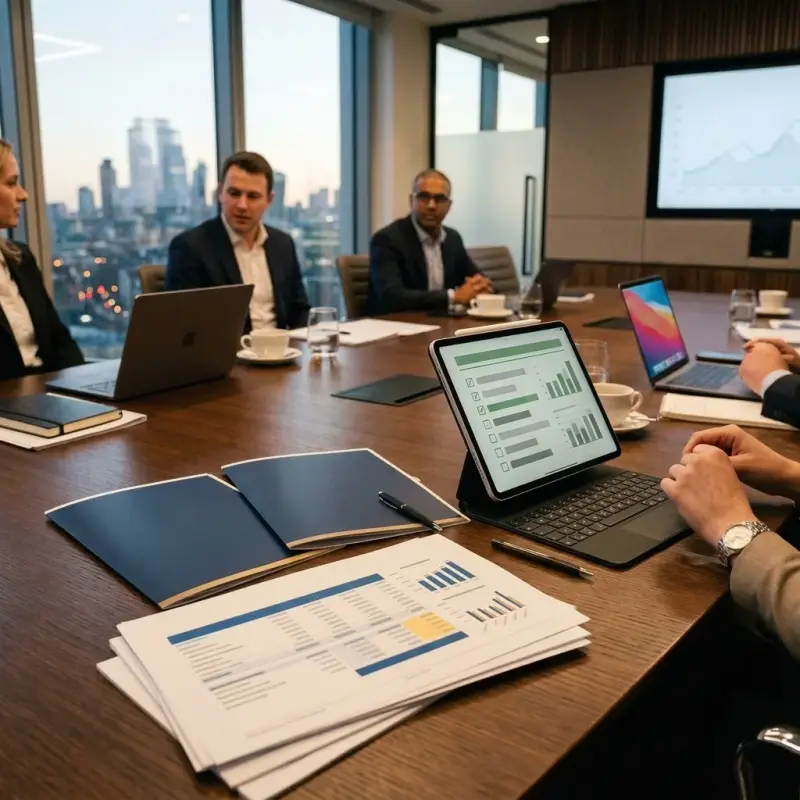
There is no going rate for managed IT: the price follows the scope. What cheap quotes leave out, what a premium engagement includes, and how to judge a quote.

A practical checklist for vetting managed IT providers in NJ & NY: the questions that matter, red flags to avoid, and how to compare quotes fairly.

Switching IT providers? How to read your MSP contract, secure admin access and backups first, plan the overlap, and cut over without gaps in support.

Comparing in-house IT, an MSP, and co-managed IT? There's another option: your own IT team, without building from scratch or hiring senior staff.
Next step
A short call is usually enough for us to understand the problem and tell you honestly how we'd handle it.
Start the Conversation