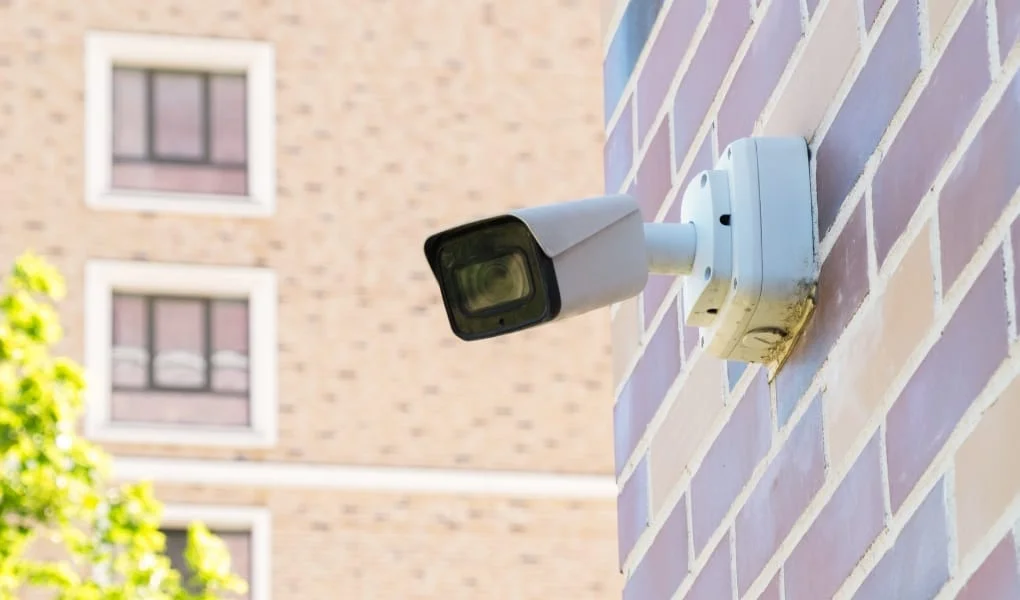
A good security camera system for business does two jobs. It puts off people who might try something, and when something does happen, it shows you what went on. For most businesses that's worth more than the cost of the cameras.
The right system depends on your building, what you're protecting, and who needs to see the footage. Modern cameras offer high-resolution video, AI detection that can tell a person from a passing car, and alerts straight to your phone. Here's how to choose.
Types of Security Cameras for Business

Start with how the cameras connect, because that decides a lot about cost, reliability, and where you can put them. Every business security camera falls into one of two groups, with a few features worth knowing about on top.
- Wired cameras connect with a network cable, which usually also carries power. They're the most reliable option and handle high-resolution video well, so they suit places that need constant recording.
- Wireless cameras are easier to place because you don't have to run cable to each one. They're handy for spots that are hard to wire, though they still need power and a strong Wi-Fi signal.
- AI detection is now common on both. It can tell people from vehicles and animals, which cuts down on false alerts and saves you from scrolling through hours of footage of swaying trees.
Many businesses end up with a mix: wired cameras on entrances and key areas, and a few wireless ones where running cable isn't practical.
What Are the Best Security Cameras for Business?
It depends on what you need, but most good business cameras offer high-definition (HD) video, night vision, motion detection, and a mobile app for checking in remotely.
Brands worth evaluating include Digital Watchdog and UniFi Protect for business-grade deployments, Hanwha Vision for broader commercial camera lines, and Arlo or Google Nest cameras for simpler small-office setups. PTZ (Pan-Tilt-Zoom) cameras are good for covering large areas, while bullet or dome cameras work well for entrances and busy spots.
For outdoor use, pick weatherproof models with wide-angle lenses, and consider cloud storage so footage survives even if someone takes the recorder.
Installation and Maintenance of Security Cameras

Installation is where a lot of business camera systems go wrong. Cameras need to be positioned carefully to cover entrances, registers, stock rooms, and parking areas without blind spots, and without pointing into places where people expect privacy.
Wired systems take more work to install than wireless ones. Either way, the system needs regular attention after it's up.
That means checking that every camera is still recording, cleaning lenses, checking connections, and installing firmware updates. Camera firmware gets security patches just like computers do, and outdated cameras are a common way into business networks.
Check the storage too, whether it's in the cloud or on a local recorder. The worst time to find out a camera stopped recording is the day you need the footage.
Popular Security Camera Features for Businesses
Modern security cameras come with a lot of options. These are the ones most businesses use:
- High-Definition (HD) Video: Clear enough to identify faces and read license plates.
- Night Vision: Infrared lets cameras record in the dark, so you're covered around the clock.
- Motion Detection: Get an alert when something moves in an area that should be empty.
- Two-Way Audio: Speak through the camera to warn off an intruder or help an employee.
- Cloud Storage: Keep a copy of footage off site, where it can't be stolen or damaged.
- Mobile App Integration: Check your cameras from your phone.
The camera systems Spot On Tech installs support all of these.
Connecting Cameras to the Rest of Your Security

Cameras are more useful when they work with your other security systems. An integrated setup connects cameras, alarms, and door access control, so, for example, a door forced open after hours can trigger recording and send you a clip.
Integrated systems can also use AI to flag unusual activity and alert the right person right away, rather than leaving someone to review footage the next morning.
It's also easier to expand an integrated system. When you add a door, a floor, or a location, you add to what you have instead of starting over.
Choosing the Right System
With features like AI detection, high-resolution video, and remote access now standard, most businesses can get good coverage without a huge budget. The hard part is the planning: where the cameras go, how they connect, where footage is stored, and who can see it.
Wired or wireless, the right setup is one that fits your building and keeps recording reliably, so you have a secure place to work and footage when you need it.
Our multifamily real estate case study shows how centralized standards made it easier to manage cameras, wiring, and local office technology across more than 100 properties.
Spot On Tech plans, installs, and supports business security cameras as part of our IT services. Because we also handle your network and cabling, the cameras get set up securely and looked after with everything else. Get in touch to talk about what you need to cover.