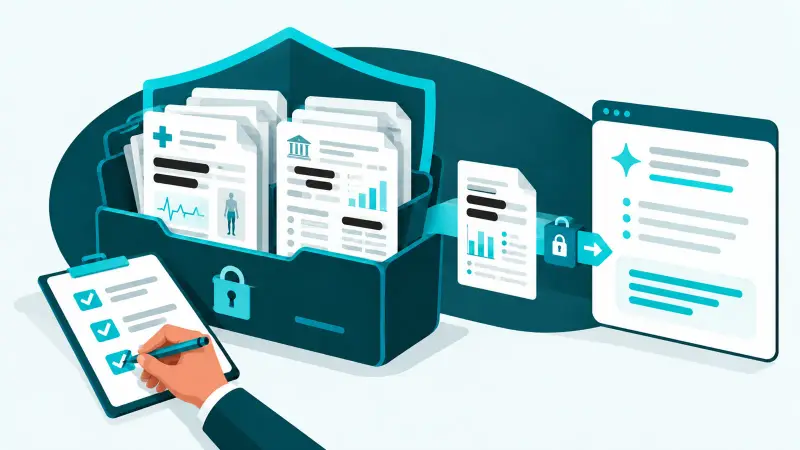
To vet an AI tool, find out what it does with your data, who can reach that data, and whether the vendor can prove its security. In practice that means checking whether your content trains its models, how long it is kept, which permissions the tool needs, which certifications the vendor holds, and how you get your data back when you leave. The 12 questions below take about an hour for most tools.
Employees find new AI tools every week, and most are useful. A short, repeatable review lets you say yes quickly to the good ones and catch the few that would quietly expose client data or open a door into your systems.
Key takeaways
- The plan matters as much as the product. Free and personal tiers often have weaker data terms than business tiers of the same tool.
- Check what the tool connects to. Broad access to email or files is a bigger risk than anything typed into a chat box.
- Ask for proof, such as a SOC 2 Type II report or ISO certification, not just a security page.
- Regulated data needs a signed agreement, such as a business associate agreement for health information.
- Record every approved tool, its owner, and its review date, and look again at least once a year.
12 questions to ask before approving an AI tool
Data
- Does the vendor train its models on our content? Look for a clear "no" for business customers in the terms, not just a setting users can change.
- How long are prompts, files, and outputs kept, and can we shorten that? Shorter retention means less to lose in a breach.
- Where is our data stored and processed? This matters for client contracts and some regulations.
- Which other companies handle our data? Many AI tools are built on a model from another provider. Ask for the list of subprocessors.
Access
- What permissions does it need? If it connects to Microsoft 365 or Google Workspace, review exactly what it can read and send. Narrow beats broad.
- Does it support company sign-in and multi-factor authentication? Single sign-on lets you remove access when someone leaves.
- Are there administrator controls? You should be able to see users, manage settings, and turn off features centrally.
- Is there an activity log? Especially for tools that take actions, such as AI agents.
Assurance and exit
- Can the vendor prove its security? Ask for a SOC 2 Type II report or ISO 27001 certification. ISO 42001 is a newer standard specifically for managing AI.
- Will it sign the agreements we need? A data processing agreement for personal data, and a business associate agreement before any health information goes in.
- How will it tell us about a breach? Look for a stated notification commitment.
- Can we export and delete our data when we leave? And who owns the output the tool creates?
Red flags that mean "not yet"
- No business plan, or the same data terms for free and paid users.
- Terms that allow training on your content with no way to opt out.
- Requests for full access to all mail or all files when the job needs much less.
- No security documentation, or a refusal to share it under a non-disclosure agreement.
- No way to remove users or delete data.
- A company you cannot identify, with no clear address, owner, or support contact.
A simple approval process for a small business
- Request. The employee says which tool, what it is for, and what data it will touch.
- Review. The policy owner or IT provider works through the 12 questions. Low-risk tools that touch no sensitive data can take minutes.
- Decide. Approve, approve with limits (for example, no client data), or decline with a suggested alternative.
- Configure. Buy the right plan, turn on company sign-in and MFA, and switch off training and unneeded features.
- Record. Add the tool, its owner, its approved uses, and its review date to your list of approved tools.
- Review yearly. Vendors change their terms. Check approved tools at least once a year and when their terms change.
Tie this process to your AI acceptable use policy so staff know how to request a new tool instead of signing up on their own.
What about tools that already have access?
Vetting new tools does not cover the ones already connected. Review the apps that have access to your Microsoft 365 or Google Workspace tenant, remove the ones you do not need, and run the 12 questions on the rest. Our shadow AI guide explains where to look. The ConnectWise SkyKick breach is a reminder that even established vendors' app connections need regular review.
How Spot On Tech can help
Our AI governance service runs AI tool reviews for New York and New Jersey businesses, keeps your approved list current, and checks connected apps as part of ongoing security. If you are weighing a specific tool, we can review it with you, and our AI implementation team can set it up and train your staff once it is approved. For the wider picture, see our guide to using AI safely.
Frequently asked questions
How do you evaluate an AI tool for security?
Check whether it trains on your data, how long it keeps data, what permissions it needs, whether it supports company sign-in and MFA, whether it has admin controls and logs, what certifications the vendor holds, and how you export and delete data when you leave.
What questions should I ask an AI vendor?
Ask whether they train on your content, how long they retain it, where it is stored, which subprocessors they use, what security certifications they hold, whether they will sign a data processing or business associate agreement, and how they notify customers of a breach.
Is a SOC 2 report enough to approve an AI tool?
It is strong evidence of security practices, but it does not answer data training, retention, or permission questions. Use it alongside the rest of the checklist.
Can we use AI tools with patient or client data?
Only tools approved for it, on plans with the right data terms, and with signed agreements where the law requires them, such as a business associate agreement for health information.
How often should approved AI tools be reviewed?
At least once a year, and whenever the vendor changes its terms, adds major features, or has a security incident.