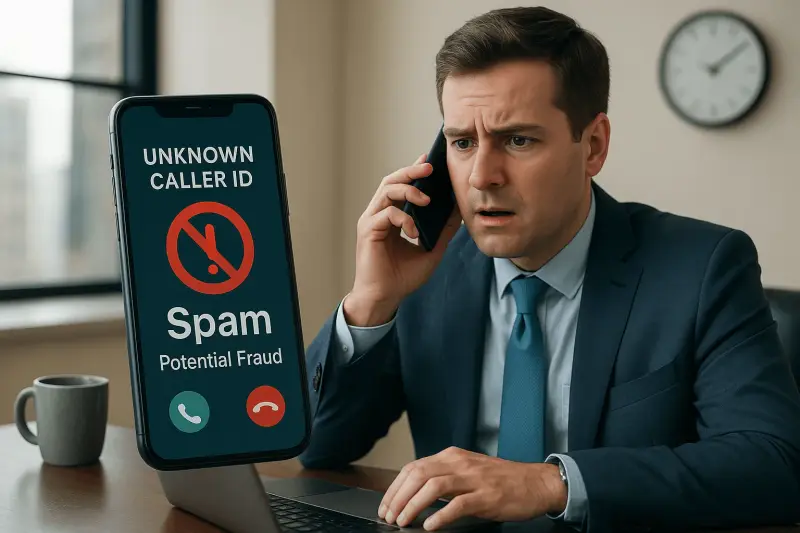
Customers remember how easy you were to reach. If a call rings out, bounces between three people, or lands in a voicemail box nobody checks, that is what they remember about your business.
A VoIP phone system will not fix customer service on its own. What it gives you is control: where calls go, who answers, what happens after hours, and a record of what actually happened. This guide covers the setup choices that make the difference for a small or mid-sized team. If you are still picking a provider, start with our guide to choosing a business VoIP provider.
Key takeaways
- The biggest service gains come from call routing, not from extra features.
- Ring groups, mobile apps, and after-hours rules cut missed calls more than anything else.
- Connecting the phone system to your CRM means customers stop repeating themselves.
- Reports show you missed calls and wait times, so you can fix real problems instead of guessing.
- Call quality depends on your network. Plan the two together.
What customers feel, and what fixes it
| What the customer experiences | What usually causes it | The VoIP setup that fixes it |
| "Nobody picked up." | One phone ringing at an empty desk | Ring groups, mobile apps, and overflow rules |
| "I got transferred three times." | No clear path to the right person | A short menu and routing by department |
| "I had to explain everything again." | Staff cannot see the customer's history | CRM integration with caller details on screen |
| "I left a message and never heard back." | Voicemail in a box nobody owns | Voicemail sent to email or a shared inbox |
| "I thought it was a spam call." | Your outbound number shows no name | Branded caller ID |
1. Calls reach the right person the first time

Call routing is where most of the improvement comes from. A VoIP system lets you decide exactly what happens to every call:
- Auto attendant. A short greeting that sends callers to sales, service, or billing. Keep it to four options or fewer and put the most common choice first.
- Ring groups. A call to "service" rings several people at once, or in order, instead of one desk.
- Call queues. When everyone is busy, callers wait in line with a message instead of hitting a busy signal. Many systems can offer a callback so nobody has to hold.
- Business-hours rules. Calls follow one path during the day and another at night, on weekends, and on holidays.
Before you configure anything, write down how a call should move through your business. The system should follow that plan, not the other way around.
2. Fewer missed calls
Every missed call is a customer who may try someone else. VoIP gives you several ways to catch them:
- Mobile and desktop apps. Staff answer the business line from a laptop or phone, at home or on the road, and the customer still sees your main number.
- Overflow rules. If nobody answers in a set time, the call moves to a second group or a manager.
- Voicemail to email. Messages arrive as an email with the recording attached, so they are seen and assigned.
- After-hours handling. Send urgent calls to an on-call person and everything else to a clearly worded voicemail.
3. Staff know who is calling
Most business VoIP platforms can connect to a CRM, a help desk, or practice-management software. When they do, the customer's record opens as the phone rings, the call is logged automatically, and staff can call back with one click from the record.
The customer notices this right away. They do not have to spell their name or repeat last week's problem. Check which integrations a provider supports before you choose, because this varies a lot between platforms.
4. You can see what is happening

A traditional phone line tells you almost nothing. A VoIP system reports on:
- How many calls were missed or abandoned, and when.
- How long callers waited before someone answered.
- Which hours and days are busiest, so you can staff for them.
- How calls are spread across the team.
Call recording helps with training and with settling "what was actually said" questions. Recording laws differ from state to state, so play a notice that calls may be recorded and confirm the rules for the states you call into.
5. Customers recognize your number
Service also covers the calls you make. If your callbacks show up as an unknown number or a "Spam Likely" label, customers will not answer. Branded caller ID shows your business name on outbound calls, so customers know who is calling before they decide whether to pick up.
6. Service keeps running when the office does not
A cloud phone system does not live in your building. If the office loses power or internet, or a storm keeps everyone home, calls can ring mobile apps or forward to another location. Set those failover rules up in advance and test them, so they work the day you need them.
What can go wrong
- Call quality. Choppy audio is usually a network problem: a weak internet connection, an old switch, bad cabling, or voice traffic competing with everything else. Review the network before go-live and give voice traffic priority.
- Menus that are too clever. Long menus and nested options frustrate callers. Always give a way to reach a person.
- Nobody owns it. Greetings go stale, holiday hours get missed, and former employees stay in ring groups. Assign one person to keep the system current.
- 911 and addresses. VoIP calls to 911 rely on the address registered for each phone or user. Keep those addresses current, especially for remote staff.
- Security. Protect admin accounts with multi-factor authentication and restrict international calling if you do not need it. Stolen phone accounts get used to run up toll charges.
A setup checklist for better service
- Map how calls should flow: main number, departments, after hours, holidays.
- Decide who answers each type of call, and who backs them up.
- Keep the auto attendant short and record a clear greeting.
- Send voicemail to an inbox someone is responsible for.
- Connect the phone system to your CRM or help desk if you have one.
- Check internet, switches, Wi-Fi, and cabling before go-live.
- Train staff on transferring, parking, and using the mobile app.
- Review the missed-call and wait-time reports after the first month and adjust.
Frequently asked questions
Is VoIP good for customer service?
Yes, when it is set up around how your team answers calls. Routing, ring groups, mobile apps, and reporting give a small team tools that used to need a call center.
Do we need a contact center platform?
Most small teams do not. Ring groups, a simple queue, and good reporting cover a typical office. A dedicated contact center platform makes sense once you have a full-time support team that needs advanced queues, live dashboards, and detailed agent reporting.
Can a VoIP phone system connect to our CRM?
Often, yes. Many platforms integrate with common CRM, help desk, and practice-management tools. Confirm the specific integration before you choose a provider.
Will VoIP calls sound as good as a landline?
On a healthy network they sound as good or better. Most quality problems come from the internet connection or office network, which is why the phone system and the network should be planned together.
Set up your phones around your customers

Spot On Tech helps businesses in New York and New Jersey choose, set up, and support VoIP phone systems. Phones are part of our Single Point of Tech model. You can keep the VoIP provider you already use or go with one we recommend. Either way, our team handles the phone issues directly, from routing changes to call quality problems, and deals with the provider for you.
Because we also manage the network the calls run on, you have one team to call instead of a phone company and an IT company pointing at each other.
Contact us to talk through how your calls are handled today and what would make them easier for your customers.